Team Morgan

Written by Dan on January 7th, 2012

So after passing on my old camera to my wife, we’ve been waiting for an opportunity to take some photos together. This is her first SLR and she’s has a great eye for composition but is still learning how the different elements, optics and techniques come into play.

Inspired by a short tutorial I saw on Wimp.com I decided to do a similar setup for our first macro shoot together. After mastering slices of lemon we moved onto ink drops in water (or food colouring in fact.)

Here’s the budding photographer at work:

An here’s a couple of my shots – Laura’s are on the way  (and are much better than mine!):


Product Photography for thesolarcentre.co.uk

Written by Dan on November 17th, 2011

On Monday evening my wife and I went to the solarcentre offices in St. Albans to take some photos of their new range of solar powered fairy lights. They can be used indoors and outdoors and are so bright and pretty I can’t imagine using mains powered lights again.

We experimented taking shots from various angles – our favourites were top-down with the multi-coloured lights with a shallow depth of field – the results look almost psychedelic!


We also had a bit of fun doing some light writing in the warehouse using bunches of the fairy lights. All good fun!


Product Photography for Flatties.co.uk

Written by Dan on November 14th, 2011

On Friday I tried my hand at some product photography for flatties.co.uk

Flatties produce Vinyl and Urban Toys/Art and have been working on a project called ‘Codename Babushka,’ where they have, with several well known artists, created a series of interesting matryoshka dolls which are for sale on their website. Here’s some of the highlights:


I used a daylight simulation lamp from the left side of a light tent and filled in with a flash bounced on the ceiling from the right hand side.

Lessons learnt: check your sensor is clean first by taking a long exposure at a small aperture on a neutral background. Annoyingly, I had lots of spots on the clean white backdrop which I had to remove in Photoshop. I think this was from my beach/desert honeymoon ;)


Honeymoon Favourites

Written by Dan on October 16th, 2011

My wife and I had a fantastic time on our honeymoon in Dubai and the Maldives - the Maldives is a particularly beautiful place and it was very difficult to come home and go back to work!

I have selected some of my favourite photos from the honeymoon, below. I make no excuse that there are quite a few of my beautiful wife!

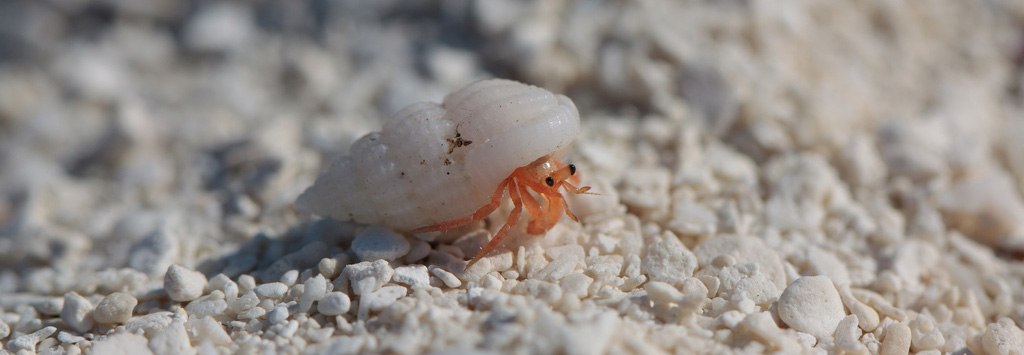
The Hermit Crabs were truly charming creatures, great fun to watch and photograph. The fruit bat, or “flying fox,” was much more elusive..

You may also spot a photo of my wife on our wedding night – the only photo I managed to get of her the whole day.


Laura & Dan’s Wedding Time-lapse

Written by Dan on September 30th, 2011

I finally got around to putting together my time-lapse of our wedding – though I did have an awesome honeymoon in Dubai/Maldives which was keeping me from it..

I’d thoroughly recommend visiting the Vimeo site to see it in all its High Definition glory: http://vimeo.com/dcwm/wedding

Alternatively, you can view a standard definition version below:

Some details:

10,016 JPEG’s @ 2352×1568 (cropped to 1920×1080 for video)
Aperture Priority
5 seconds between photos
Auto ISO


Wedding Season Wave 1

Written by Dan on June 24th, 2011

It looks like I have got to that age where everyone I know is getting married. I will be going to SEVEN weddings in total during 2011 (one of which is my own), all within the space of four months..

As it is highly unlikely that I’ll be able to use my camera on my wedding day I will post a couple of my favourite shots from each of the weddings I do attend with my camera.

Here’s the first few below..

DCWM_101_1231.jpg
DCWM_101_1316.jpg
DCWM_101_1400.jpg


50mm Portraits

Written by Dan on May 4th, 2011

I have always had a love-hate relationship with my Canon 50mm f/1.4 USM. On the one hand it is razor sharp in the right conditions with buttery bokeh and a large maximum aperture. On the other hand, as one of Canon’s older lenses in the lineup, the build quality isn’t fantastic, they are prone to mechanical failures and I’ve found the auto-focus (the older micro usm motor)  inconsistent, even when selecting an AF point. I have often found myself swapping to the EF-S 60mm macro as I found it more comfortable on the lens, with quicker, better autofocus, very sharp stopped down and with superior build quality.

After some conversations with Stephanie Belton she inspired me to persevere with the 50mm, ditching the flash I often used with it and upping the ISO to compensate. In the past I’ve been reluctant to push the ISO too high, mainly through experiences of using 400/800 film and higher sensitivies on my old 350D which often made the images unusable, but actually they are very usable on modern D-SLR’s.

So over the easter break I tried to keep the 50mm on as much as possible, for general walk around use and when inside. I also took out the batteries from my Speedlite to remove the temptation to use it!

You can see some of my favourites above, taken throughout the week and you can see the rest in my gallery

Next mini project – 50mm x 50mm Portraits shot at 50mm?!

[fb-share]


Light Spheres and 2125 Resistors

Written by Dan on April 18th, 2011

My first attempt at doing some light spheres was not particularly successful – the photos were boring and the light spheres were a bit wonky.

Part of the reason for this was shoddy photography and part of the reason was using a torch on an end of a piece of string was perhaps not the best way to achieve the effect I was looking for.
I decided to make something that would be more appropriate and based it on something I saw on flickr (I’ve lost the link, will try to find it). Here are the results:

So how did I produce these? First thing was to get all the bits and bobs I needed:

  • Soldering Iron, Stand and Solder
  • Assorted bright LED’s
  • SPST Push-to-Make switch
  • PP3 Battery clips
  • Resistors (2125 to be exact)
  • Lots of electrical tape
  • Lots of speaker cable
  • Component cable and old SCART->Component connector

Most of the items I got off of ebay – I ended up buying the entire E12 series of resistors (20 or 30 of each value) for a tenner instead of 60p per resistor from Maplin. The Component cables and SCART adaptor  I had lying around from an old Xbox.

General method:

  1. Dismante SCART -> Component connector. Remove scart plug and join the red wire to the white wire for each audio channel together. Snip off the video cable.
  2. Solder the LED’s together into a 3 strips of 5 – make sure you use the correct value resistor at the start of each strip and make sure you solder the LED’s together anode to cathode. I used this to generate the LED array for me.
  3. Insulate the strips in the array and bind together. Solder to a good length of speaker cable, one wire in the speaker cable for positive, one for negative
  4. Take the video wire out of the component cable (Yellow cable in the triplet of Red, White and Yellow)
  5. Strip the red component cable so you can see the live and ground wires inside. Join these together and then attach this to the positive (anode) end of the speaker cable attached to the LED array
  6. Repeat with the whire component cable and solder to the negative (cathode) end.
  7. Wire in two PP3 connectors in series to a push to make switch and solder the positive end to the wires that made up the red component socket in the SCART > Component connector stripped in step 1
  8. I mounted the connectors to a small box, with the connector taped to the side and bound together tightly.
  9. Add some 9v PP3 batteries and press the button!
 

Experiments in Night Photography

Written by Dan on March 29th, 2011

I have recently been inspired by to experiment with some night photography, predominantly through a book by Lance Keimig.

I have taken plenty of night photos before (here I mean, taking photos of things by night, not of the night sky), for example, this, this and this, but this has always used light which was available at the time. A key difference with what I wanted to do was try to use the ambient lighting and enhance this with additional lighting – flashes, torches etc. where you can’t get your desired exposure

Broadly my other aims were:

  • Limited or no post processing and retouching
  • Achieve good composition
  • Try something new

Here are some of the results:

Key equipment used: Timer Remote, several LED and Halogen torches, Flash manually triggered off camera.

Overall, I think I got several OK shots but I wasn’t completely happy with any of them. I had to retouch several of the photos for excessive lens flare, correct white balance and had to adjust exposure (I intentionally tried to shoot right) on several of the images, but generally managed to limit post processing. I wasn’t happy with the composition of either of the light sphere photos. I definitely tried some new stuff (car photography, light spheres)!

Lessons learnt:

  • Concentrate more on composition – it can be hard to gauge composition in bad light and in awkward conditions. Focus more on this.
  • Use High ISO to judge exposure – this was a really useful tool. General rule, on an ISO 100 native camera if you set the ISO to 6400 and expose for 1 second, this is equivalent to a 1 minute exposure at ISO 100 (at the same aperture). I could probably use this more for composition too!
  • Practice more with illuminating subjects with a torch – it’s hard to get this even, especially over large subjects.
  • Use a Timer Remote that works and doesn’t have a faulty cable so you have to fiddle with it constantly – I’m getting the unit replaced!
  • Most of all, have someone to help out – thanks to Darren for this! It really helps to have another pair of hands, especially when illuminating with multiple sources and also for providing creative suggestions!
 

Lunar Perigee

Written by Dan on March 21st, 2011

The moon came the closest to earth in ~20 years at the weekend. Luckily we had clear skies and despite having a lens failure I managed to get a couple of shots off.

Click below for full resolution copy.


DCWM_100_9079